Every schedule, current and defensible.
Stratalize produces your updates, packages and critical-path briefs from your schedules, for one project or the whole company. Your team reviews and signs.
What it produces
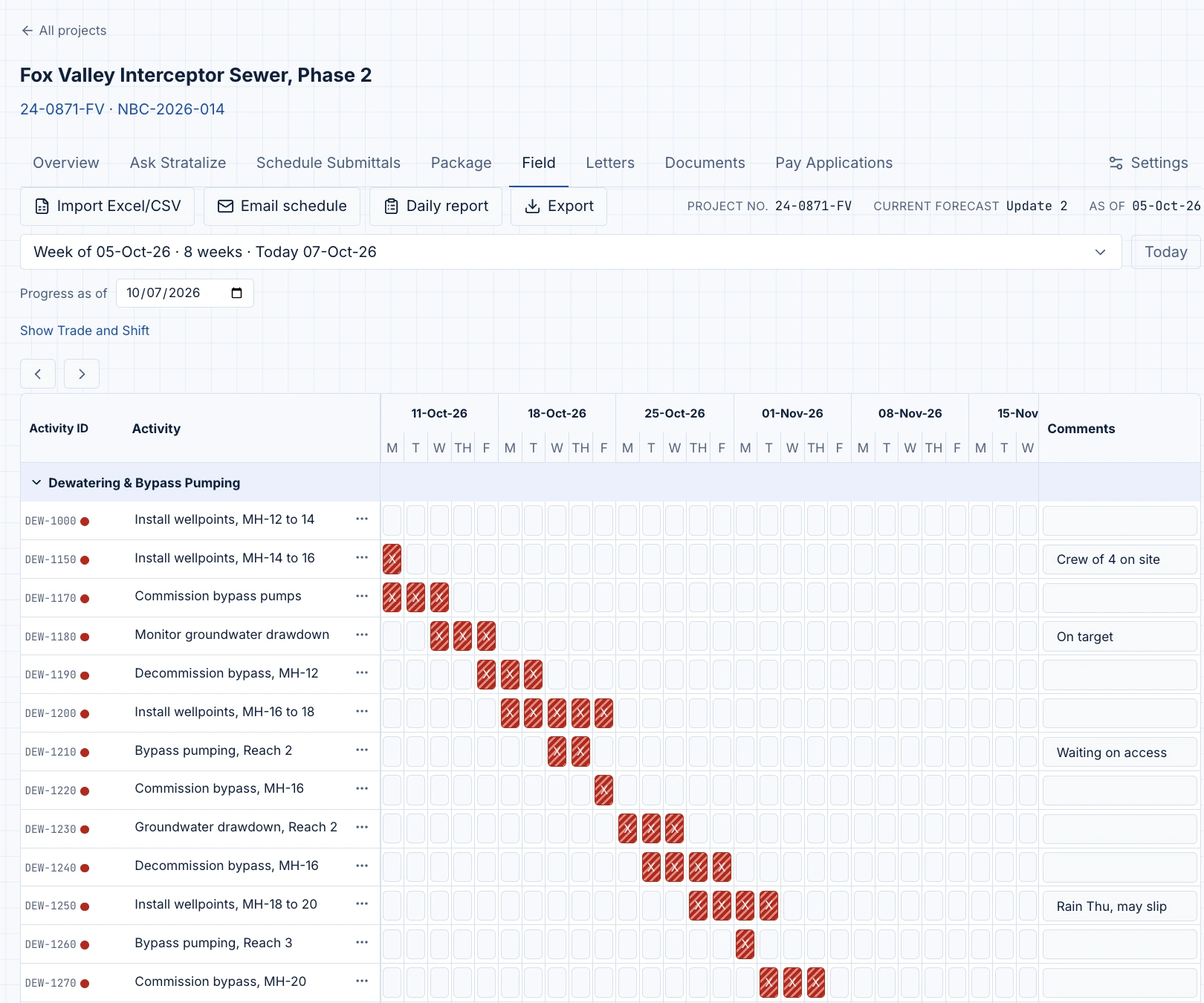
The weekly grid, straight from the schedule.
Every superintendent already keeps a grid like this, pulled from the schedule by hand, reformatted in Excel, rebuilt every week for Monday's meeting.
Stratalize builds it straight from the schedule instead: the activity, the description, who's responsible for it, a lookback week to confirm what actually happened, then several weeks of execution ahead.
Grouped by area, trade or work package, however your team already groups the work. No fixed layout to adopt; the grouping is a setting, not a rewrite.
Because it comes from the schedule, it never drifts from it. Rebuild it after every update and the grid on the wall matches what your scheduling tool actually says.
A reviewer or an owner sees the same grid the field runs from, not a second version assembled to show them.
One brief for the whole company.
Load every active schedule and Stratalize keeps one picture of the company current: the critical path on each job, the changes that actually moved a completion date, and the weeks where two jobs need the same crew or crane. The people who run the company get it as one brief. The schedulers get it without building it.
How a change is made
The schedule comes in, checked against DCMA 14 and the owner’s specification.
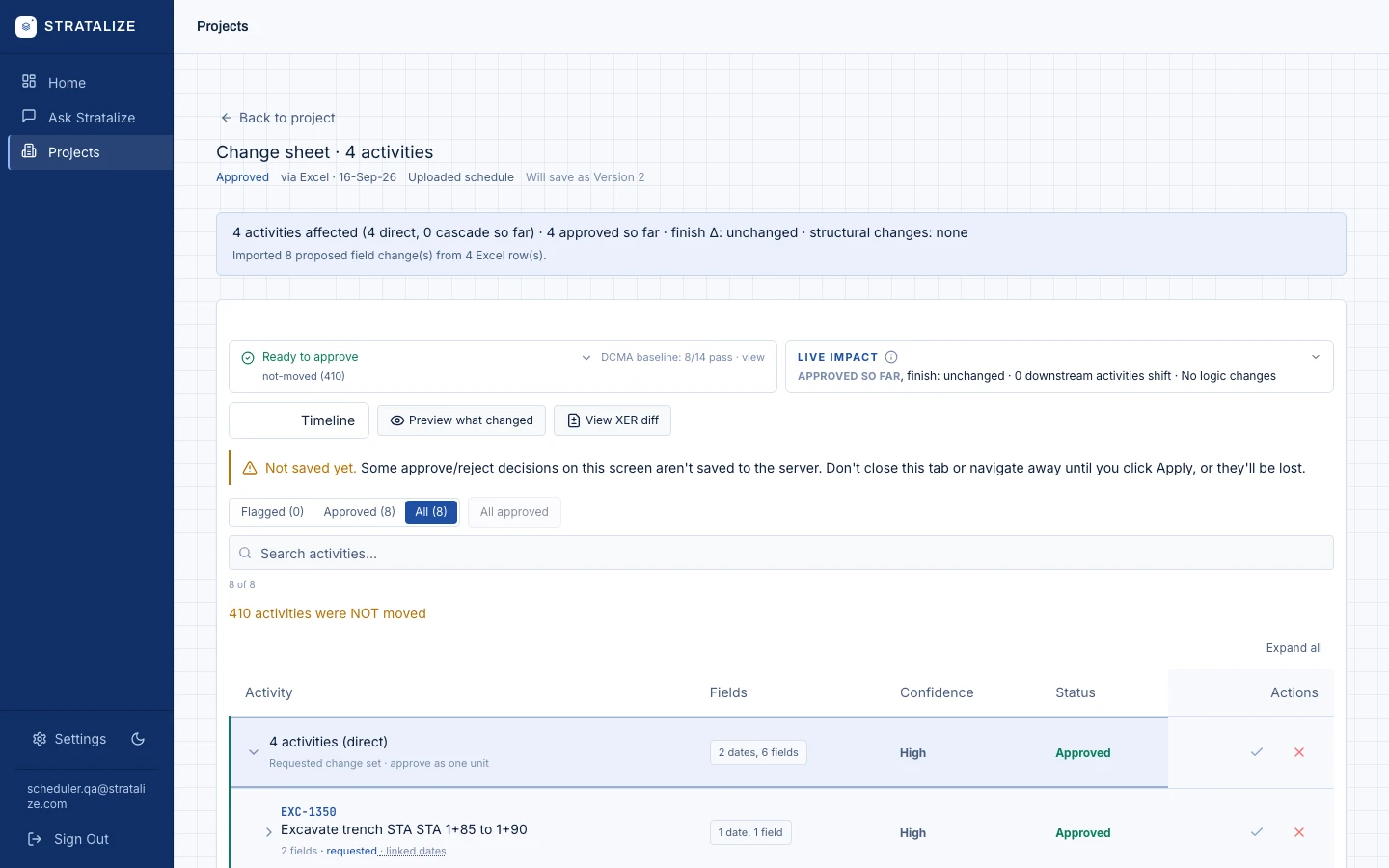
Changes arrive as a change log, or in a sentence. Impact is computed by Stratalize’s own CPM engine.
A person approves. Before and after, float and critical path, on one screen.
The schedule goes back in the same format, with a signed record.
And from Claude or ChatGPT, through MCP.
See it on one of your schedules.
Only your organization. Access is enforced per user, and every action against the project is recorded against the person who took it. Your project workspace keeps your documents, schedule versions, and budget history so the work is there when you come back. Retention beyond that is your setting, and the details are at trust.stratalize.com.
Only the people who work in the scheduling tool. Everyone who reviews, approves or reads a brief needs nothing. Reviewers and approvers use Stratalize. Projects are priced per active project with unlimited users, so the PM, the PE, and the executive who signs off all participate without a seat cost.
Primavera P6 XER today, with byte-faithful round trips. Additional schedule formats ship in Q4.
Stratalize produces a corrected schedule file you import. Nothing is written to your system without a person approving it.
Scans and annotation markup are handled, including Bluebeam-style layers.
Your PM or scheduler, one comment at a time. Nothing moves without a human approval, and the approval is what gets signed.
No. Any project where the owner requires a CPM schedule and periodic updates. Owner specifications are set per project.
Priced per active project with unlimited users. Talk to us.
Yes. Every active schedule in your account rolls up into the Portfolio Critical Path Brief and a portfolio view, so leadership sees the critical path and resource conflicts across jobs, not one project at a time.